
Introducing Dashboard Touch, a build-your-own version of Touch ID
For years, I’ve wanted to have a standalone version of Apple’s Touch ID authentication feature for my Mac, but without having to use an Apple keyboard. (I generally like their keyboards, but my daily driver keyboard these days is a big clicky mechanical beast.) I’d gone down various dead ends of trying to find substitutes, and even checked out the efforts where people had ripped apart expensive Apple keyboards just to scavenge the Touch ID sensors out of them. None of them quite solved the problem.
So today, I’m sharing an open source project called Dashboard Touch, which lets you make your own Touch ID-style sensor for your Mac, using low-cost off-the-shelf part. It’s based on an extensive refactoring of the excellent tinyTouch project by Zimeng Xiong, who recently cracked the code on how to make a useful fingerprint scanner system that’s also reasonably secure for regular Mac users. (You should definitely check out his project and support his new hardware build if you’re interested in this stuff.)
I took my own approach to this work because I wanted to focus a lot on having a friendly web interface for configuring exactly how the fingerprint sensor system works on your computer. When you get Dashboard Touch set up, it presents you with a nice web interface that runs right on your own Mac, letting you do things like set the color of the ring light on the fingerprint sensor, or capture your fingerprints so they’re recorded in the system.
Behind the scenes, the way the system works couldn’t be simpler. You buy a little fingerprint sensor, and a small microcontroller, wire them together (it was actually fun to get back to soldering stuff!), and then plug them into your computer with a regular USB cable. After you run the setup script, you just go to the web interface and add your finger(s) to the system.
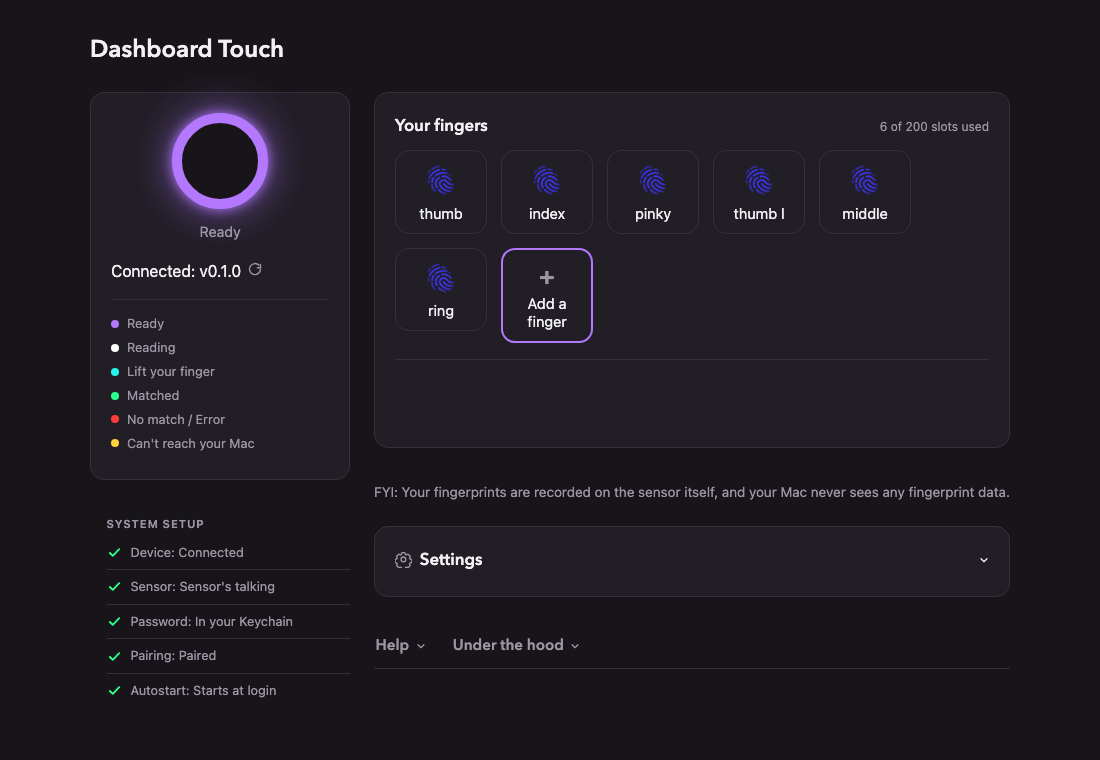
Once you’re running, your Mac runs as normal, except any time the system prompts you to type in your password, you can just swipe your fingertip on the sensor and Dashboard Touch will type your password in for you. At a technical level, the device is actually literally pretending to be a keyboard. (You can look over the code on GitHub and get a feel for the approach pretty quickly.)
After it’s installed, it’s basically a set-it-and-forget-it kind of thing. You don’t need to do anything else for it to Just Work. Your password is only ever stored securely on your Mac, and your fingerprints are only ever stored securely on your sensor. You can erase them at any time and nothing talks to the internet at all except the one manual update checker, where you can see if there’s a new version of Dashboard Touch, but only when you intentionally click the button to request it to do so.
Overall, this isn’t the kind of system you should use if you’re protecting a bank vault, but if your computer is physically secure and nobody is going to have extended unsupervised access to your Dashboard Touch setup without your permission, you should be fine.
Dash, not bored
Personally, it’s been really fun to get back to making things. As you can see in my introductory video, I ended up creating an enclosure for my fingerprint sensor in my woodshop, so that it would match my desk that I recently built. Even creating and editing the intro video was a fun project that took me out of my usual comfort zone.
Nearly every task in this project has had me stretching to do things that I’m pretty bad at, from firmware coding to security review to detailed carpentry to video editing. But I just love the idea of putting things out there again for people to hack on, and there's also something really satisfying about being able to be super-opinionated about the design and user interface of something after so many years of working on teams where I had to collaborate. (Even though I always got to collaborate with brilliant people, it's different when you get to pick every pixel!)
I just also have been missing the era of the web when most of what I saw online was weird and fun things that regular people were building, and I realized that I can't mourn the absence of those kinds of projects unless I invest my own energy into building some of those kinds of things myself. So, here's one! Let me know what you think, and if you've got any ideas for how to make this thing better. Or, of course, if you find any bugs that I should fix.
I hope you have fun touching the blinking lights!